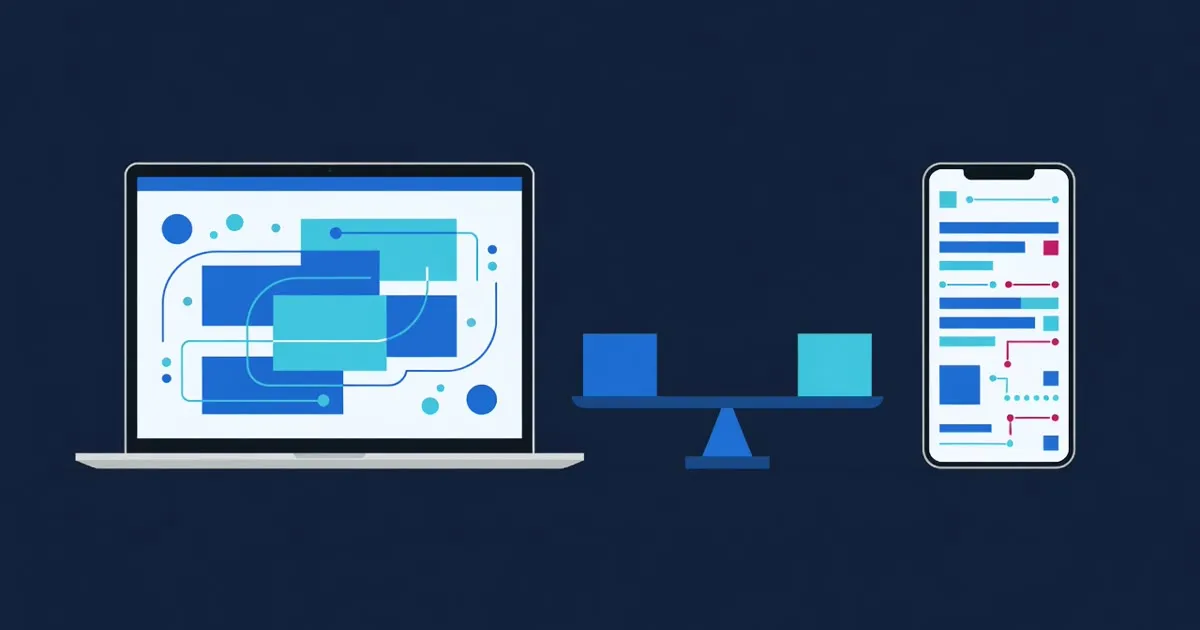
App vs Website: Which Should Your Business Build First?
For most businesses the answer to app vs website is simple: build the website first. A website gets found in search, opens from any link, needs no install, and costs a fraction of an app. An app earns its place later, when the same people come back every week and you need something a browser can't do well.
The rest of this guide puts the two side by side on the things that actually decide it: cost, time to launch, fees, features, upkeep and how people find you. If you're still asking whether you need an app at all, read does my small business need a mobile app first. This post assumes you've decided to build something and want to know what goes first.
Mobile app vs website at a glance
| | Website (or web app) | Mobile app | |---|---|---| | How people find it | Google, links, social, email | App Store and Google Play search, or your website sending them there | | Install needed | No | Yes | | Time to first launch | Days to a few weeks | Weeks to months, plus store review | | Store gatekeeper | None | Apple and Google review every release | | Fees on digital sales | Card processing only | Store commission on in-app purchases | | Push notifications | Limited, and on iPhone only after "Add to Home Screen" | Full support | | Offline, camera, sensors | Partial | Full | | Yearly upkeep | Hosting and occasional fixes | OS updates, store policy changes, developer accounts |
Discovery: a website gets found, an app gets chosen
A website sits where people already look. Someone types a question into Google, sees your page, taps it, and they're using it. Nobody browses the App Store hunting for a local accountant or a new dentist.
An app has to be chosen. The person must already know you, find you in the store, install, sign in, and remember you next week. That only happens when the payoff repeats. In practice your website is what brings new people in, and your app is what keeps the regulars close. If you build the app first, you've built the retention tool before you have anyone to retain.
!A small shop on the left and a phone home screen on the right, joined by a trail of footprints New customers usually arrive through search and links; the app only matters once they come back.
Cost and time to launch
A website or simple web app is the cheaper, faster build: one codebase, every browser, fixes live in minutes. An app usually means two platforms, accounts, a backend, store listings and review. Our own fixed-price app packages run from $3,500 to $12,000 depending on scope (see pricing). Bigger builds like marketplaces or booking apps with payments climb well past that, and what it costs to build an app breaks down where the money goes.
Time follows the same shape. A web page can go live the day it's done. An app also waits on the stores. Apple says App Review typically handles at least 50% of submissions in under 24 hours and 90% in under 48 hours (Apple, as of October 2026). That applies to every update, and a rejection sends you back to the start. A new personal Google Play account also has a closed-testing step before production, covered in Google Play's 12 testers for 14 days rule.
Fees: who takes a cut when you get paid
This is the row most owners get wrong. On a website you pay card processing. Stripe's standard US rate is 2.9% + 30¢ per successful domestic card charge (Stripe, as of October 2026).
In an app, it depends on what you sell:
- Physical goods and real-world services (a haircut, a delivery, a class at your studio) don't go through Apple's in-app purchase. Guideline 3.1.3(e) says you must use other methods, such as Apple Pay or card entry (App Review Guidelines). So a booking or ordering app pays normal card fees.
- Digital content and features (subscriptions, premium tiers, unlocks) use the store's billing. Apple's Small Business Program charges 15% for developers under $1 million in yearly proceeds (Apple, as of October 2026). Google Play's service fee now runs from 10% to 30% depending on market, product type and revenue (Google Play Console Help, as of October 2026).
- Linking out to pay on your website is now allowed in apps on the United States App Store storefront under guideline 3.1.1(a). Outside the US the rules are stricter.
If you sell a digital subscription, the store cut is a real budget line; our App Store fees guide walks through it. If you sell services, the gap mostly disappears.
!A coin cut in two halves beside a blank payment card and a phone Selling services in an app costs about the same as on the web; selling digital content is where the store takes its share.
Features: what an app does that a website can't
A web app can use the camera, read location, sit on the home screen and even send push notifications. On iPhone, Web Push arrived in iOS 16.4, and it only works for web apps the user has added to their Home Screen (WebKit, February 2023). Most people never do that step, so on iPhone web push reaches a small slice of your audience.
A native app is still the better choice when you need:
- Reliable push alerts that reach everyone who installed (appointment reminders, order ready, shift open)
- Real offline use, like a field technician logging jobs with no signal
- Deep device features: background location, Bluetooth hardware, health data, smooth camera workflows
- Stored payment and one-tap reorder for customers who buy every week
If none of those is on your list, you may be describing a website in an app wrapper. Apple won't accept that anyway: guideline 4.2 says an app needs features and content "beyond a repackaged website."
Upkeep: the cost after launch
A website needs hosting, a domain and the odd fix. An app needs more. Apple's $99 per year developer membership keeps it in the store (Apple Developer Program), and Google charges a one-time $25. Then each year brings new OS versions, new SDK rules and new store policies, like the Google Play target API 36 deadline. Skip those and the app gets hidden or pulled. Our guide to the monthly cost to run an app lists the usual line items.
The middle path: a web app first
Sometimes the right first build is a web app: a working tool in the browser that customers or staff open from a link. It's cheaper to change, skips store review, and shows whether people use the workflow before you pay for two native apps.
If the web app gets steady repeat use and starts to hit the limits above, that's your evidence to go native. Much of the backend you built can carry over.
!Three steps rising left to right: a page, a browser window with a tool, and a phone Each step is worth paying for only after the step before it shows real repeat use.
When to build the app first
A few cases flip the order:
- The app is the product. A fitness coaching app, a game, a tool people use daily. The website is just a landing page that points to the store.
- Your staff are the users. An internal app for technicians or drivers doesn't need discovery, because you tell your team to install it.
- You already have the audience. A business with a busy website and loyal regulars can go straight to an app for them.
When US APP Team is the wrong call
If what you need is a marketing website, we're not the shop for it. We build apps. A good web designer or a site builder will serve you better and cost less. Come back when your regulars are asking for an app.
If you think you're in app territory, run your feature list through the app cost calculator, then write it up in the app brief wizard. If the brief reads like a website, we'll tell you so on a free intro call.
FAQ
App vs website: which should a small business build first? A website first, in almost every case. It's cheaper, live sooner, and it's how new customers find you. Add an app once repeat customers give it a reason to exist.
Can a website send push notifications? Yes, in most browsers. On iPhone it only works after the user adds the web app to their Home Screen, which few people do.
Do apps pay a fee on every sale? No. Physical goods and real-world services in apps use normal card payments. Store commission applies to digital content and features.
Your app. In the stores. Done for you. US APP Team designs, builds, and launches your iOS and Android app for a fixed price. Start your app brief or book a free intro call — both are free.
Want to poke around first? Every tool in our free tool library runs in your browser with no signup: an app cost calculator, an app name generator, and a privacy policy generator.
