Google Play's 12 Testers Rule: Who It Applies To and How to Pass
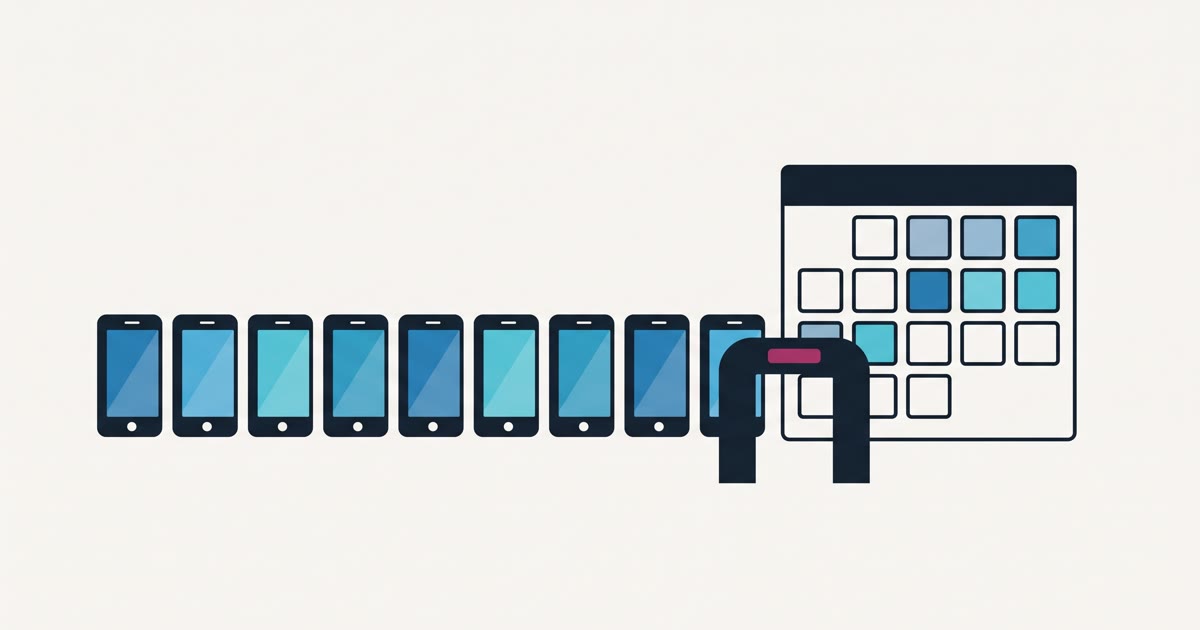
If you publish from a Google Play personal developer account created after November 13, 2023, you cannot release your app to the public until you have run a closed test with at least 12 testers who stayed opted in for the 14 days before you apply. Then you apply for production access, answer Google's questions about the test, and wait for a review that Google says usually takes seven days or less. All of that comes from Google's own help page on app testing requirements for new personal developer accounts, as of September 2026.
If you are a business, the more useful fact is in that page's title. The rule is written for personal accounts. If your app is published under an organization account registered to your company, this gate is not the one you will be waiting on.
What the rule actually requires
Google's wording is precise, and the precision is where people get caught. At least 12 testers must be opted in to your closed test at the moment you apply, and they must have been opted in continuously for the preceding 14 days. Google adds that testers who opt in, test for fewer than 14 days, and then opt out do not count.
Three practical consequences follow from that sentence:
- Twelve is a floor, not a target. If exactly twelve people join and one of them leaves the test on day nine, you no longer have twelve people with fourteen continuous days. Recruit a few more than you need so one dropout does not cost you a week.
- The clock is per tester. Each person's fourteen days start when they opt in. Someone who joins on day ten has not finished their window when the first eleven have. Get everyone in on the same day if you can.
- It happens before production, not instead of it. Passing the test does not publish anything. It makes you eligible to apply, and the application gets its own review.
The track you use is closed testing. Google also offers internal testing, which has no entry requirements and is where you should hand builds to yourself and your own team, and open testing, which only unlocks after you have production access.
The application is the real test
Most guides treat the fourteen days as the hard part. Read the application form and you will see Google cares more about what happened during them. According to the same help page, the production access form asks three sets of questions: about your closed test (how hard recruiting was, how engaged testers were, which features they used, whether their behavior matched what you expect from real users, and a summary of their feedback), about your app (who it is for, what value it offers, and roughly how many installs you expect in year one), and about your readiness (what you changed because of the test and how you decided the app was ready).
If Google decides you need more testing, you continue the closed test and apply again. That is another round of calendar time, so treat the fourteen days as a real test rather than a waiting room:
- Give testers something specific to do. "Book an appointment, then cancel it" produces usable feedback. "Try the app" produces silence.
- Push at least one update during the test that fixes something a tester reported. It gives you an honest answer to the "what did you change" question.
- Keep a simple log of feedback as it arrives, with dates. Google's own tips recommend keeping a record of received feedback.
- Run Play Console's pre-launch report on your build. Google lists it as a way to catch technical issues before you ask for production.
Where the twelve testers come from
Google's page suggests reaching out to friends, family, colleagues, or classmates, and for most small businesses that is the right answer. Your staff, a handful of loyal customers, and people who already use the service the app supports are real users of the real workflow, which is exactly what the application asks about. Each needs an Android device, a Google account, and your opt-in link.
You will also find a whole industry of paid services that sell tester pools for this requirement. Some are run in good faith, but be clear about what you are buying. Strangers who install the app because they were paid to keep it installed will not tell you your booking flow is confusing, and they give you weak answers for a form that asks how testers behaved and what they reported. If you can find twelve people who would actually use the app, do that first.
How a business avoids the gate entirely
If the app belongs to a company, it should almost always be published from an organization account in the company's name. Google says both account types have the same functionality, and for some categories, including financial services and health apps, Google's account type guidance requires an organization account anyway. The testing requirement covers personal accounts, so choosing the right account type for the business also takes this gate off your critical path.
The organization route has its own wait. Google requires a D-U-N-S number to create an organization account, and when it introduced that requirement it warned on the Android Developers Blog that the process can take up to 30 days. Dun & Bradstreet's page for Google developers says the number is free. The one-time Play Console registration fee is US$25 for either type, per Google's registration page, as of September 2026.
So the real comparison is up to 30 days for a D-U-N-S number that runs in parallel with the build, against 14 days of testing plus a review that runs after the build is done. Only the second one sits in front of your launch date.
This is the same reasoning behind our policy of publishing under your accounts, not ours: we set up the store accounts in the client's company name before we write code, and we start the D-U-N-S request in the first week so it finishes while the app is being built.
When a personal account is the right call
An organization account is not always worth it. If you are a sole trader building a side project, a hobby app, or a first prototype you may never charge for, a personal account is faster to open, and fourteen days of testing with people you know is a reasonable price for getting started. The account is tied to you as an individual rather than to a company, which matters less for a personal project than for a business.
It is also the wrong move to switch account types just to dodge the test if the app is genuinely yours as an individual. The test is not busywork. An app that cannot find twelve people willing to use it for two weeks has learned something important before it spent money on a launch.
An illustrative timeline
Here is how the two paths compare for a hypothetical small business app, finished in week eight of a build. This is an illustrative scenario, not a client project.
On a new personal account, the closed test starts when the build is ready in week eight, the fourteen days end in week ten, and the application review adds up to another week. The app reaches the public in week eleven at the earliest, assuming nobody drops out and Google approves on the first application.
On an organization account opened in week one, the D-U-N-S number arrives while the app is still being designed. The team still tests with real users, but the release date is set by the app being ready rather than by a counter.
What to do next
If your developer has not told you which account type your app will be published under, ask this week. It decides who owns the listing and, for a new account, whether a two-week gate sits in front of your launch. Our app launch checklist walks through the account setup steps in order, and our guide to publishing on the App Store and Google Play covers the rest of the path. If you would rather have someone set it up correctly from day one, book a free intro call.
Your app. In the stores. Done for you. US APP Team designs, builds, and launches your iOS and Android app for a fixed price. Start your app brief or book a free intro call — both are free.
Want to poke around first? Every tool in our free tool library runs in your browser with no signup: an app cost calculator, an app name generator, and a privacy policy generator.
