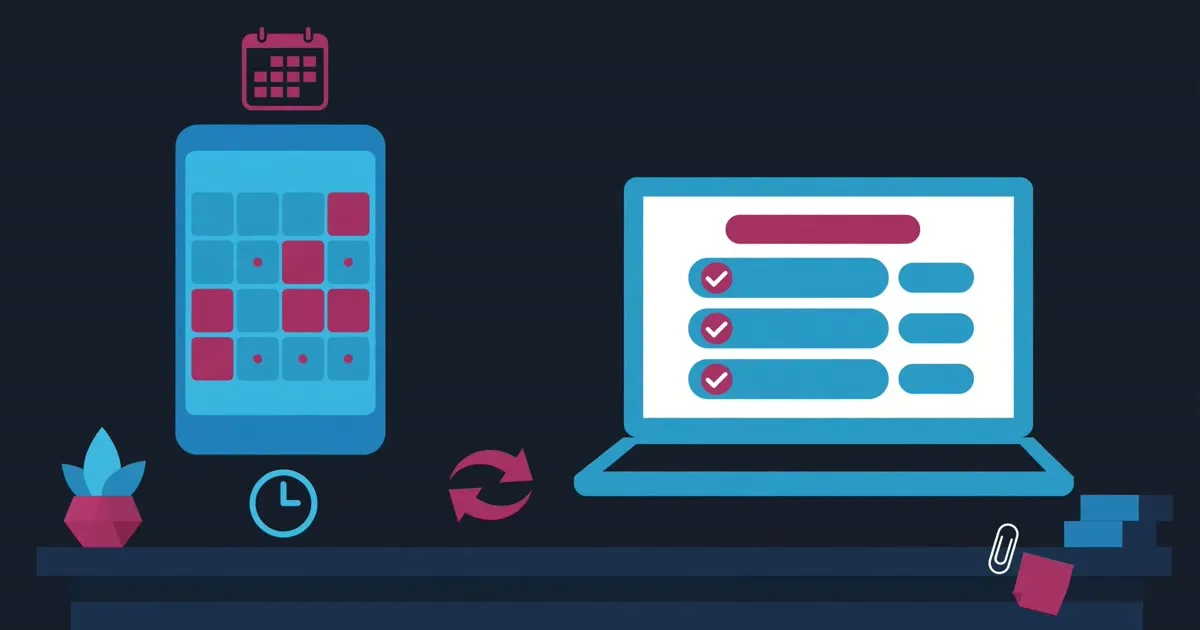
Booking App vs Scheduling Software: Which Do You Need?
In the booking app vs scheduling software choice, most appointment-based businesses should start with scheduling software. Tools like Calendly, Acuity and Square Appointments have entry plans from $0 to $20 a month, and you can set one up today. A custom booking app makes sense later, when the same clients book you again and again, a home-screen icon and push reminders would bring them back, and you are tired of shaping your business around someone else's booking page.
This guide compares the two side by side and explains where each one fits.
What scheduling software gives you
Scheduling software is a hosted booking page. You list your services, connect your calendar, and send clients a link. The vendor runs the servers, the reminders and the updates.
Current prices, as of October 2026, from each vendor's own pricing page:
| Tool | Entry paid plan | Notes | | --- | --- | --- | | Calendly | $10 per seat per month (Standard) | Free plan available; Teams is $16 per seat | | Acuity Scheduling | $16 a month billed yearly, $20 monthly (Starter) | Standard is $27 or $34, Premium is $55 or $69 | | Square Appointments | $0 a month (Free) | Plus is $49 and Premium is $149 per location per month, plus card processing fees |
Those prices are hard to beat. If a booking link already solves your problem, a custom app is money you do not need to spend. We say the same thing on our booking app development page.
What a custom booking app adds
A custom app is software you own, built around how your business already works. It lives on your clients' phones as its own icon, with your name on it.
That gives you things a shared booking page usually cannot:
- A regular client taps your icon on their home screen instead of digging through email for a link.
- Push reminders can nudge a client to rebook when their usual gap between visits comes around, and the reminder comes from you.
- Packages, memberships, deposits, staff-specific services or a waitlist can work the way you already run them, instead of the way a template allows.
- The app, the backend account and the client list sit in your name. If you switch developers, nothing is stuck inside a vendor's dashboard.
!A phone with one highlighted app icon and a message bubble, next to a laptop showing a calendar in a browser A booking page lives in a browser tab. An app lives on the home screen, which matters most for clients who book often.
What each one really costs
Scheduling software is a monthly subscription that keeps going for as long as you use it. A custom app is mostly an upfront build plus a smaller running bill.
With US APP Team, a booking app with services, times and reminders fits our Starter tier, from $3,500. Add deposits or payments, staff logins and an admin view and it becomes Business, from $7,500. Our ceiling is $12,000 for a custom quote. Full details are on the pricing page.
On top of the build, every app pays the store fees: Apple charges 99 USD a year for the Apple Developer Program, and Google charges a 25 USD one-time fee for a Google Play developer account, as of October 2026. Hosting, email and push notifications for a typical small booking app run roughly $40 to $80 a month. Our guide to what it costs to run an app every month breaks that down.
Here is an illustrative comparison, not a real client. A two-chair salon on a $55-a-month scheduling plan pays $660 a year, and that bill never ends. A $3,500 app with $60 a month in running costs costs more in year one and year two. On cost alone, the app rarely wins. It wins when it brings clients back more often than a link does, and only you can judge that from your own rebooking numbers.
Rules that shape a booking app
Two App Store rules matter for booking apps, and both work in your favor if you plan for them.
First, you do not pay Apple's in-app purchase commission on appointments. Apple's App Review Guidelines say that apps selling physical goods or services used outside the app must use other payment methods, such as Apple Pay or a regular card form. A haircut or a personal training session falls in that group. Your normal card processor fees still apply.
Second, Apple rejects apps that are just a website in a wrapper. Guideline 4.2 says an app should go beyond "a repackaged website". If your app would only show your existing booking page inside a frame, Apple can reject it, and it would add nothing for your clients anyway. A booking app needs real native features: saved client profiles, push reminders, one-tap rebooking.
!A booking flow drawn as three steps: pick a service, pick a time, get a confirmation An app earns its place with native steps like saved details and one-tap rebooking, not a web page in a frame.
Signs you should stay on scheduling software
For a lot of businesses, building an app is the wrong call. Stay on a booking tool if any of these sound familiar:
- Most of your clients book once or twice a year. Nobody installs an app for that, and a link in a text message is easier.
- You are still testing your service list or prices. A booking page changes in minutes, while an app change needs a new release.
- Most new bookings come from Google and social media. A booking page catches those people on the web, where an app would first ask them to install something.
- You need features the big tools already do well, like point-of-sale, gift cards or detailed intake forms. Paying for a mature product is cheaper than rebuilding one.
- You do not want to own software. An app needs updates when Apple and Google change their rules. Our post on what happens if you do not update your app explains why.
Signs a custom booking app is worth it
The case for building gets strong when several of these line up:
- Most of your revenue comes from regulars who book every few weeks.
- You sell packages, memberships or class passes that your booking tool handles awkwardly.
- Your team works around the software, with spreadsheets, manual reminders or double entry.
- You want your brand on the client's phone, not a vendor's.
- You pay for two or three tools that together do what one app could do.
If that sounds like you, start small. A first version that lets regulars see your services, pick a time, get a reminder and rebook is enough. Everything else can wait for version two. Our guide to MVP app cost explains how to keep that first build small.
!A blue stack of cards kept next to a phone with a calendar, and a grey stack set aside for later Start with the booking loop your regulars use every week, and add the extras once you see how they use it.
Booking app vs scheduling software FAQ
Is booking app vs scheduling software an either-or choice?
No. Many tools offer an API, which is a way for one program to talk to another. An app can sit on top of your current tool, so staff keep the calendar they know. We check this on the intro call.
Do I pay Apple a commission on bookings made in my app?
Not for physical services such as appointments, sessions or classes held in person. Apple's guidelines require a regular payment method for those, so your card processor's fees apply instead.
Is a booking app a good fit for a clinic?
It can be, but apps that store regulated health data need a separate compliance conversation before anyone quotes. Until then, ask any scheduling vendor in writing what it offers for health data before you put patient details into it.
The short answer
Start with scheduling software. Move to a custom booking app when your regulars, your rules or your brand outgrow a shared booking page. If you are not sure which side you are on, write down how you book clients today with our free app brief wizard, then book a free intro call. If a booking link would do the job, we will tell you.
Your app. In the stores. Done for you. US APP Team designs, builds, and launches your iOS and Android app for a fixed price. Start your app brief or book a free intro call — both are free.
Want to poke around first? Every tool in our free tool library runs in your browser with no signup: an app cost calculator, an app name generator, and a privacy policy generator.
