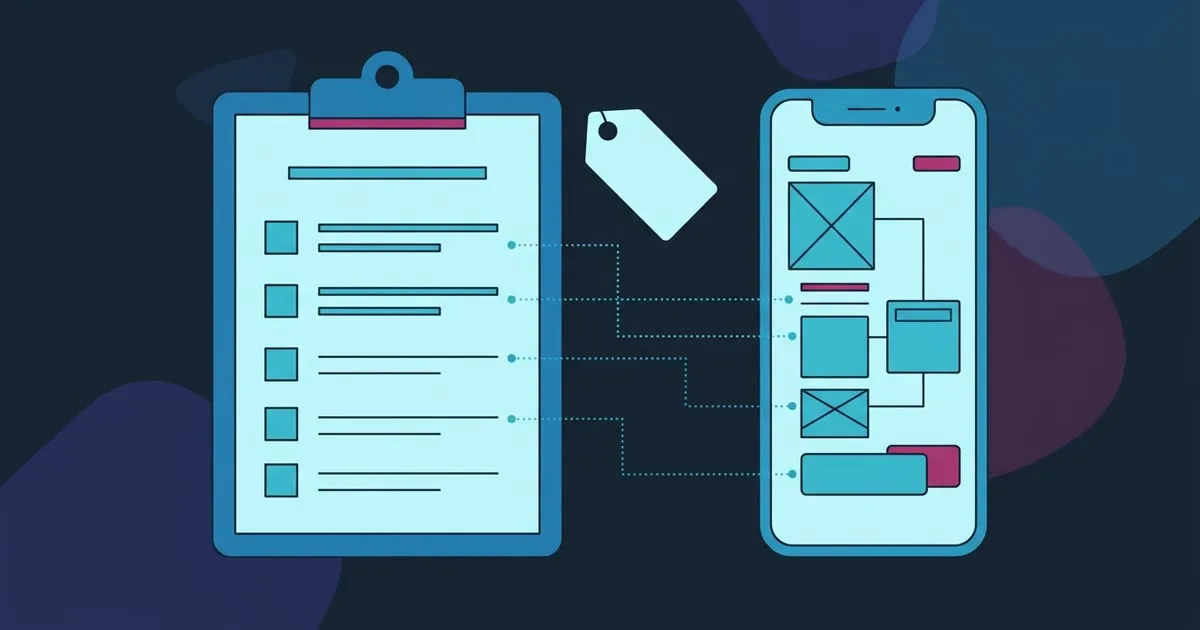
How to Write an App Brief That Gets You an Accurate Quote
If you are working out how to write an app brief, the short answer is that a good one answers six questions: what the app does in one sentence, who logs in, how it makes money, which features are must-haves for version one, how people sign in, and what it has to connect to. Get those six right and any competent developer can give you a real number instead of a range wide enough to drive a truck through.
We know this because we wrote our own app brief wizard around exactly those questions, and we read every brief before the intro call. This post walks through what we ask and why each answer moves the price. It works with any developer, including ones that are not us.
Why the brief decides the quote
A developer pricing an app from a vague description has two choices. They can pad the number to cover what they cannot see, or they can quote low and recover the difference later through change orders. Neither is good for you.
We quote a fixed price, which means we carry the risk if we misjudge the work. That makes us careful about the brief, because a fixed price on a fuzzy scope is a renegotiation waiting to happen. The brief is how we turn "an app for my salon" into something specific enough to price honestly. If you want the wider picture of what drives cost, our guide to how much it costs to build an app covers it. This post is about the document that feeds the number.
Say it in one line
The first thing the wizard asks for is a working name and a single sentence: "My app helps ___ do ___." It sounds trivial. It is the most useful line in the whole brief.
If you cannot finish that sentence, you probably have two or three apps in your head, and pricing them as one is how projects blow up. A clear one-liner also tells a developer which category of app this is: booking, marketplace, store, community, content, internal tool. Each category has a known shape, and naming it early lets the developer price against something they have built before.
Who logs in is the biggest price lever
We ask whether the app serves one group, two sides, or your own team. This single answer moves the price more than almost anything else on the form.
One group, such as customers or members, means one set of screens and one set of permissions. Two-sided, such as customers and providers, means two experiences inside one app, plus the rules for how those people find, book and pay each other. That is the difference between our Starter tier, from $3,500, and a marketplace build quoted up to $12,000 on our pricing page.
Write down every type of person who will open the app and what each one needs to do. "Admins approve new providers" is a feature. If it is not in the brief, it is not in the quote.
How it makes money changes the build
Subscriptions, commission on bookings, one-time sales, in-app purchases, ads, or free for now. Each one is a different build, and some are dictated by store rules rather than preference.
Apple's App Review Guidelines (guideline 3.1.1, as of October 2026) require in-app purchase when you unlock digital features or content inside the app. Guideline 3.1.3(e) says the opposite for physical goods and services used outside the app, like a haircut or a delivered meal: those must use a payment method other than in-app purchase. So "a booking app that also sells premium content" is really two payment systems. Our post on App Store fees in 2026 explains what each route costs you.
"Free for now" is a perfectly good answer. It just needs to be written down, because adding payments later is a separate piece of work.
Must-haves versus later
The wizard lists common features such as sign-up and profiles, push notifications, booking, payments, chat, search, maps, reviews, photo upload, an admin dashboard, offline mode and AI features. We pre-check the two almost every app needs and ask you to tap everything else you want.
Then, on the call, we sort that list into "version one" and "later." This is where most of the savings happen. Chat, offline mode, multi-language support and AI features are the usual candidates to move to a second version, because each one adds real work and none of them proves your idea on day one. AI features carry a scope warning in our wizard for a reason: "add AI" can mean a single summary button or a whole product.
In your own brief, mark each feature as must-have or later. A developer can price a short must-have list precisely and give you a separate number for the rest.
Sign-in and sensitive data
How people sign in looks like a detail. It is not, because store rules attach to it.
If your app offers a third-party login such as Google or Facebook as the main account, Apple's guideline 4.8 requires you to also offer an equivalent login option that limits data collection to name and email and lets people hide their email address. Sign in with Apple is the usual way to meet that. Guideline 5.1.1(v) also requires that any app with account creation lets people delete their account from inside the app. Neither is hard. Both are work, and both belong in the quote.
We also ask whether the app takes payments, handles health or medical data, tracks location, or is aimed at children. The last one matters most. The FTC's COPPA FAQ explains that the rule protects children under 13 and requires verifiable parental consent before collecting their personal information, with limited exceptions. An app for kids is a different compliance job, and we would rather know at the brief stage than at App Review.
What it connects to
Calendars, payment processors, CRMs, accounting tools, an existing website or database. List every system the app has to read from or write to, and say which direction the data flows.
Each integration is a small project of its own. A one-way calendar sync is simple. Two-way sync with conflict handling is not. "Extra integration" is a quoted add-on in our pricing precisely because they vary so much. If you are not sure whether something needs to connect, write it down with a question mark. A good developer will tell you.
When a brief is not enough
There are cases where no brief will produce an honest fixed quote, and you should know them before you write one.
If you do not yet know who your users are, a brief will just record guesses. You need customer conversations first, and a full-service agency or a product consultant is the better fit for that discovery work. If the app is your whole company and you need a team building continuously for a year, you want an in-house team or a long retainer, not a fixed-price build. We say more about those tradeoffs in hiring a developer versus an agency. And some apps, like heavy 3D games or specialized hardware, are outside what we build at all. We tell people that on the call rather than quote something we would struggle to deliver.
How to write an app brief in one page
You do not need a template. A one-page document that answers the six questions at the top of this post, with must-haves separated from later, is better than most of what developers receive. If you want a guided version, the app brief wizard takes 10 to 15 minutes, saves your progress, and produces a brief you can send to any developer. If you send it to us, we read it before the free intro call and send a fixed written quote within 24 hours of that call. Either way, you will get better quotes, and you will be able to compare them against the same document.
App brief FAQ
How long should an app brief be?
One to two pages is enough for a quote. Knowing how to write an app brief is mostly knowing what to leave out: skip the backstory and answer the six questions clearly.
Do I need wireframes or designs in my brief?
No. A plain list of screens and features is enough to price version one. Rough sketches help, but polished designs before a quote are usually wasted money.
Your app. In the stores. Done for you. US APP Team designs, builds, and launches your iOS and Android app for a fixed price. Start your app brief or book a free intro call — both are free.
Want to poke around first? Every tool in our free tool library runs in your browser with no signup: an app cost calculator, an app name generator, and a privacy policy generator.
