App Icon Size Requirements for iOS and Google Play (2026)
Here are the app icon size requirements as of November 2026. For iPhone, iPad and Mac you supply one 1024 x 1024 px square. For Apple Watch it is 1088 x 1088 px. For the Google Play listing you supply a 512 x 512 px 32-bit PNG under 1024 KB. For the Android home screen you supply an adaptive icon: two 108 x 108 dp layers. Everything smaller is made for you by Xcode, by Android, or by a generator.
Every figure here comes from the platforms' own pages, read on November 3, 2026: Apple's Human Interface Guidelines for app icons, Google's Play icon design specifications, and Android's adaptive icon guide.
App icon size requirements at a glance
| Where it shows | Size | Format notes | |---|---|---| | iOS, iPadOS, macOS | 1024 x 1024 px | Square, unmasked; system rounds the corners | | watchOS | 1088 x 1088 px | Square; system masks it to a circle | | visionOS | 1024 x 1024 px | Layered, masked to a circle | | tvOS | 800 x 480 px | Layered for parallax | | Google Play listing | 512 x 512 px | 32-bit PNG, sRGB, 1024 KB max, full square | | Android launcher | 108 x 108 dp per layer | Foreground and background layers, plus optional monochrome |
What changed on Apple's side this year
Apple's app icon page has a change log. Its newest entry, dated October 28, 2026, reads "Added guidance for app icon format options." It is a short addition, and it changes how you should hand over your icon.
You can now give Apple an icon in one of two formats. The first is a plain bitmap, such as a PNG. The second is a layered file made in Icon Composer, Apple's free icon tool that ships with Xcode. If you send a flat PNG, Apple says the system "attempts to segment your icon": it tries to split the foreground from the background so the icon still works in the dark and tinted looks. It applies the glassy Liquid Glass effect only to large, simple shapes, and not to text or thin lines.
Our rule of thumb: if your icon is a bold, simple mark, a flat 1024 PNG is fine. If it has fine detail or you care exactly how the glass effect lands, build it in Icon Composer.
The same page lists the appearance variants people can now pick on iPhone, iPad and Mac: default, dark, clear light, clear dark, tinted light and tinted dark. You can design each one, or let the system make the ones you skip. Apple's advice is to keep the core shapes the same in every variant so people can still find your app.
!One large square icon with arrows pointing to a row of smaller rounded icons
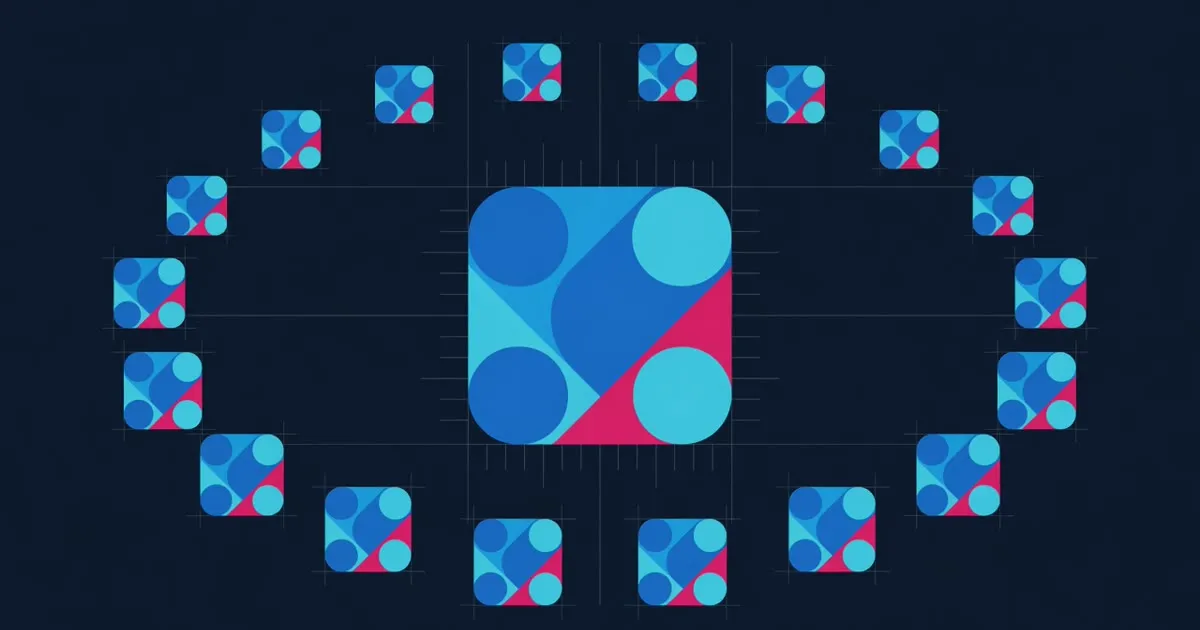
One 1024 source is enough for every Apple device; the smaller sizes are generated at build time.
Do you still need every small iOS size?
Usually not. Since Xcode 14, an asset catalog can hold a single 1024 x 1024 image, and Xcode resizes it for each place it appears. Apple documents this in Configuring your app icon. A new Xcode project starts this way.
The full list of small sizes (20, 29, 40, 60, 76 and so on) still turns up in older projects and in Flutter, React Native and Cordova templates. If you are not sure which one you have, open the AppIcon set in Xcode. One slot means one file.
The export mistake that still gets builds rejected
Your iOS icon must be a solid square with no transparency. Apple's guidance says to provide square layers and let the system round the corners, and that any background layer must be "full-bleed and opaque." When a file carries an alpha channel (the hidden transparency layer inside a PNG), App Store Connect rejects the upload with error ITMS-90717, "Invalid App Store Icon." Developers have reported it on Apple's own forums for years.
The trap is that a PNG can carry an alpha channel even when every pixel is fully opaque. Many browser tools and design apps save that way by default. Rounding the corners yourself makes it worse, because the corners are then truly transparent.
Google Play: one 512 px square, no effects
The Play listing icon is the simplest of the lot. You upload a 512 x 512 px, 32-bit PNG in sRGB, no larger than 1024 KB. Supply a full square with no rounded corners and no shadow. Google adds both. Its spec page says the corner "radius will be equivalent to 30% of icon size" (Google, read November 2026). Google also asks for a background color without transparency where you can.
!A square icon on a navy background with a rounded mask and soft shadow being added around it
Upload a plain square. Google Play draws the rounded corners and the shadow for you.
Android launcher: adaptive icons and the safe zone
On the phone itself, Android does not use one square image. It uses an adaptive icon: a background layer and a foreground layer, each 108 x 108 dp. Phone makers then cut that into their own shape, which may be a circle, a squircle or a rounded square.
Android's guide reserves the outer 18 dp on every side for masking and motion effects. Only the inner 66 x 66 dp is "never clipped." Your logo should be at least 48 x 48 dp and no bigger than 66 x 66 dp. Put anything important outside that zone and some phones will cut it off.
You can also add a third, single-color monochrome layer. Since Android 13, people can theme their icons to match their wallpaper. Android's guide says that starting with Android 16 QPR 2, the system themes icons automatically for apps that do not supply their own monochrome layer. Supplying one is the only way to control how it looks.
How the free App Icon Generator handles all of this
Our App Icon Generator takes one square image and gives back every size above. It runs in your browser, so your artwork is never uploaded anywhere. We care about that because an icon is usually finished months before an app is announced.
Where it differs from a general image resizer:
- It writes the iOS files as 24-bit RGB with no alpha channel, so they will not trip ITMS-90717.
- It exports both Android adaptive layers at every density and keeps your art inside the 66 dp safe zone.
- It shows a live mask preview (circle, squircle, rounded square) and a strip at 40 to 180 px, so you can see whether your mark still reads at Settings size.
Check your icon under every mask before you export. The dashed circle is the area every phone keeps; anything outside it can be cut.
There is one case where you should not use it. If your icon needs layered Liquid Glass effects tuned by hand, use Apple's Icon Composer for the Apple side. Our tool still covers Android and Google Play.
If your icon is ready, the rest of the store listing comes next. Our guide to App Store screenshot requirements covers the image sizes, and the step-by-step publishing guide walks you through submission. If you want a team to handle the whole build and launch, book a free intro call.
Frequently asked questions
What are the app icon size requirements in 2026?
Make one 1024 x 1024 px master. That covers iPhone, iPad, Mac and the App Store. Apple Watch uses 1088 x 1088 px, the Google Play listing uses 512 x 512 px, and Android launcher layers are 108 x 108 dp.
Can an iOS app icon have a transparent background?
No. Supply an opaque square with no alpha channel. Apple rounds the corners itself, and an upload with an alpha channel fails with error ITMS-90717.
Do I have to use Icon Composer?
No. Apple accepts a flat bitmap such as a PNG or a layered Icon Composer file. Icon Composer gives you more control over the Liquid Glass effect and the dark and tinted variants.
What is the Android adaptive icon safe zone?
The inner 66 x 66 dp of the 108 x 108 dp layer. Android says this area is never clipped by a device maker's mask, so keep your logo inside it.
Your app. In the stores. Done for you. US APP Team designs, builds, and launches your iOS and Android app for a fixed price. Start your app brief or book a free intro call — both are free.
Want to poke around first? Every tool in our free tool library runs in your browser with no signup: an app cost calculator, an app name generator, and a privacy policy generator.
